AlekAi by BG Digital Solutions
Turn product questions into qualified sales, parts and support enquiries.
AlekAi answers from your approved product information, on your website and from a QR code on the product itself. It captures the details and routes the enquiry to the right person.
For equipment suppliers and manufacturers

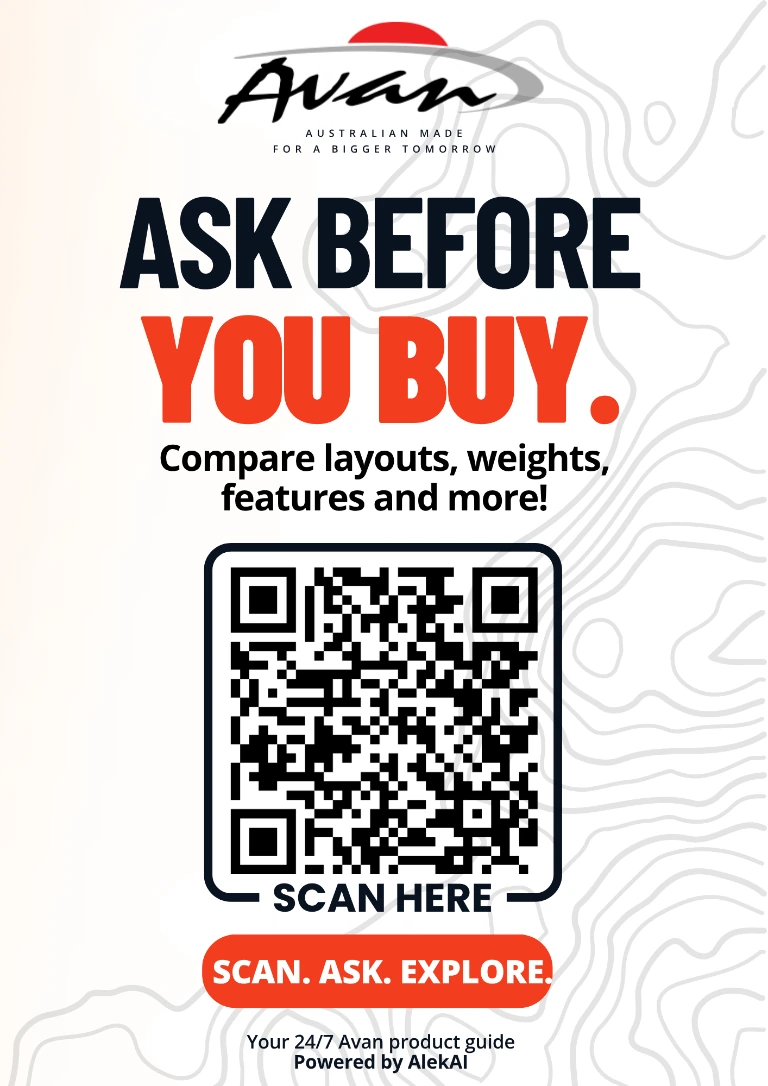
Scan for product answers
Example label. Scanning the code opens the demonstration on this page.
Demonstration
From a product label to a routed enquiry.
A scan, a specific question, and an enquiry. Each step below uses demonstration content.
-
01
Someone scans a QR label on a product.
The code opens the assistant with the context of the product and the place it was scanned.
-
02
They ask a specific product question.
The assistant answers from the business's approved information and records the source of the answer.
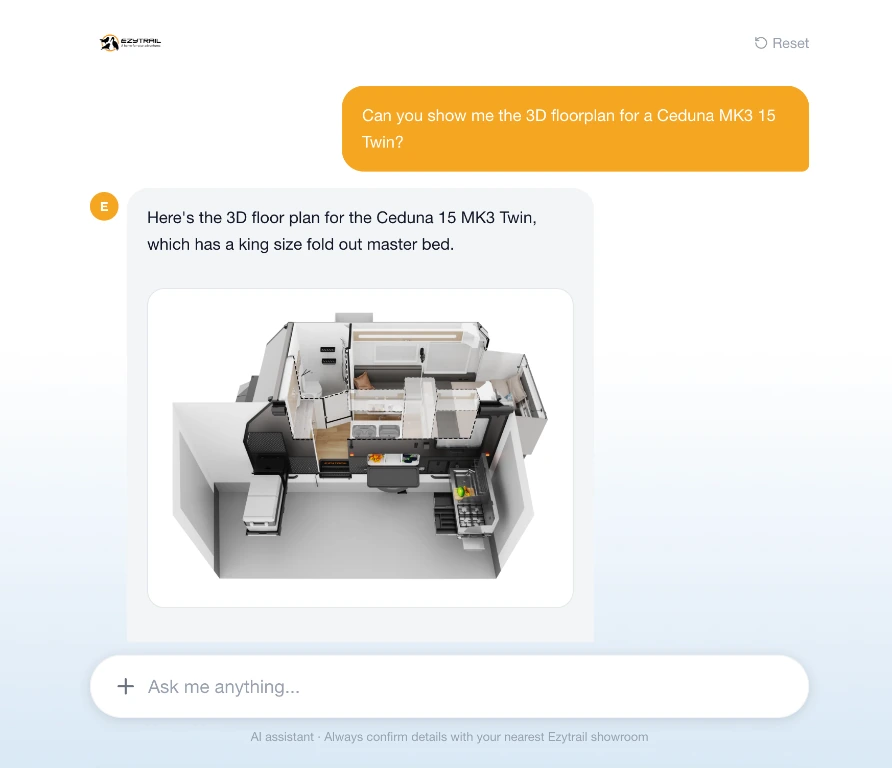
Assistant interface. Demonstration data. Tap to view full size. -
03
They submit an enquiry.
The enquiry is captured in full and routed by type and state. The customer sees a plain confirmation.
- Name
- Contact details
- Suburb or state
- Product
- What they want
- What they ruled out
- How they will use it
- Buying stage
What the customer seesThank you. Your enquiry has been sent to the right team.
Dashboard proof
What the business can see.
The dashboard is live and on demand. It shows the funnel, answer quality, the questions customers ask, and what the published information does not cover.
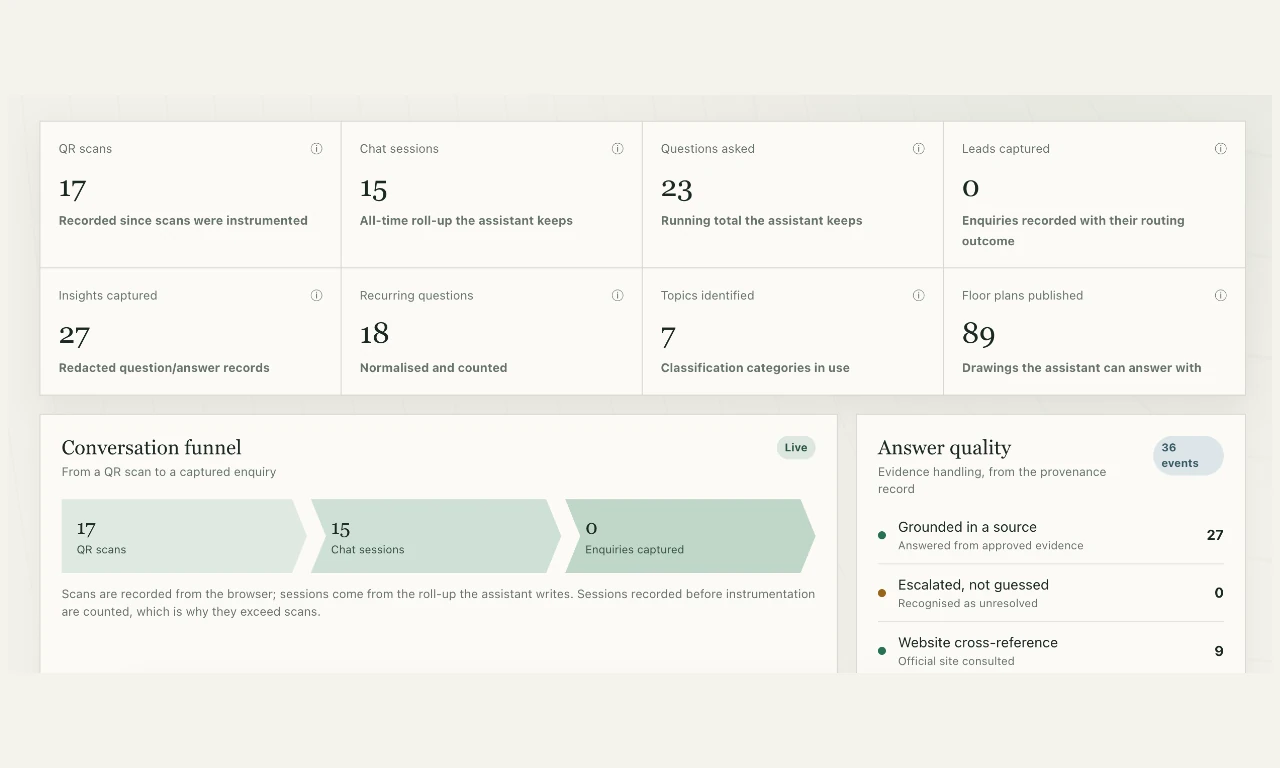
Scan to enquiry, with answer quality.
The Overview shows scans, chats and captured enquiries for the selected period, beside the evidence record behind the answers.
View full size- 1Scans, chats and enquiries in one funnel.
- 2Answers grounded in approved evidence, and questions recognised as unresolved.
- 3The source recorded for each answer.
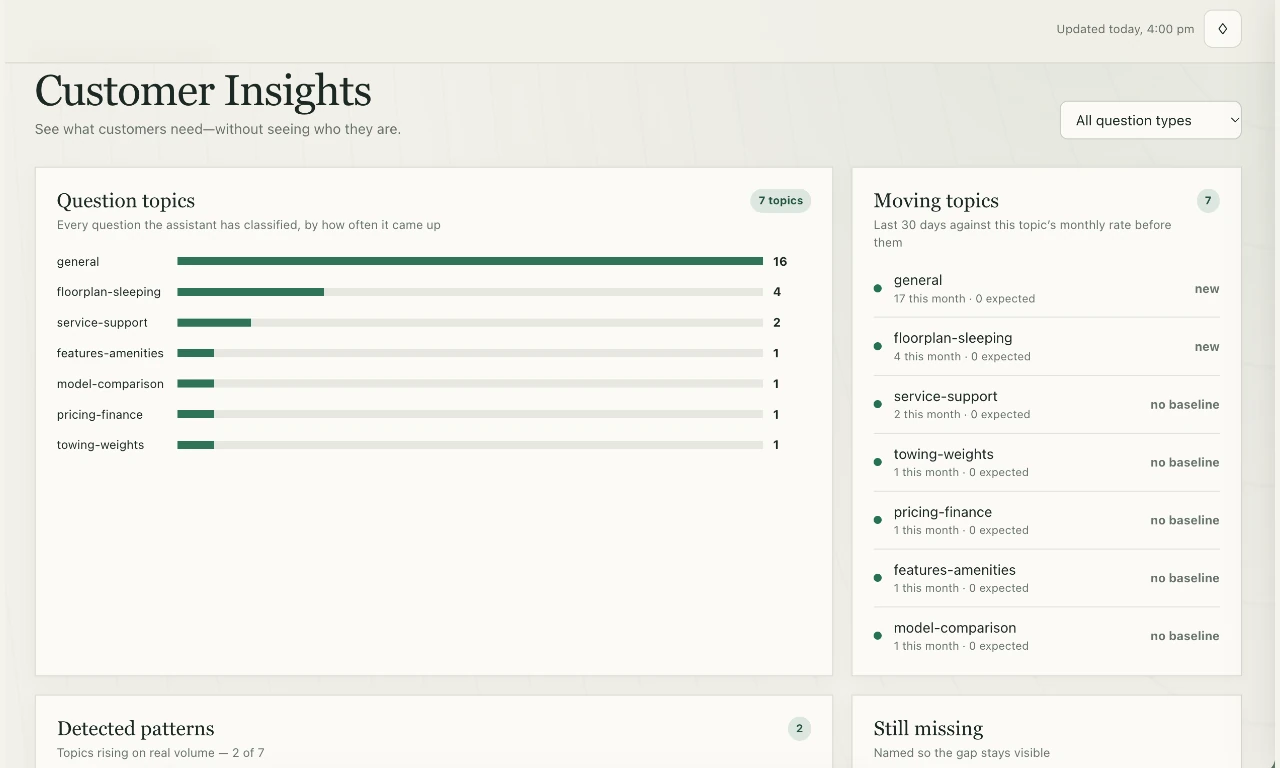
Questions asked, and gaps.
Topics are grouped by how often they come up. The Still missing panel names the questions that could not be answered, so the gap stays visible.
View full size- 1The most recurring questions, grouped by topic.
- 2Questions with no approved answer, held for the team to close.
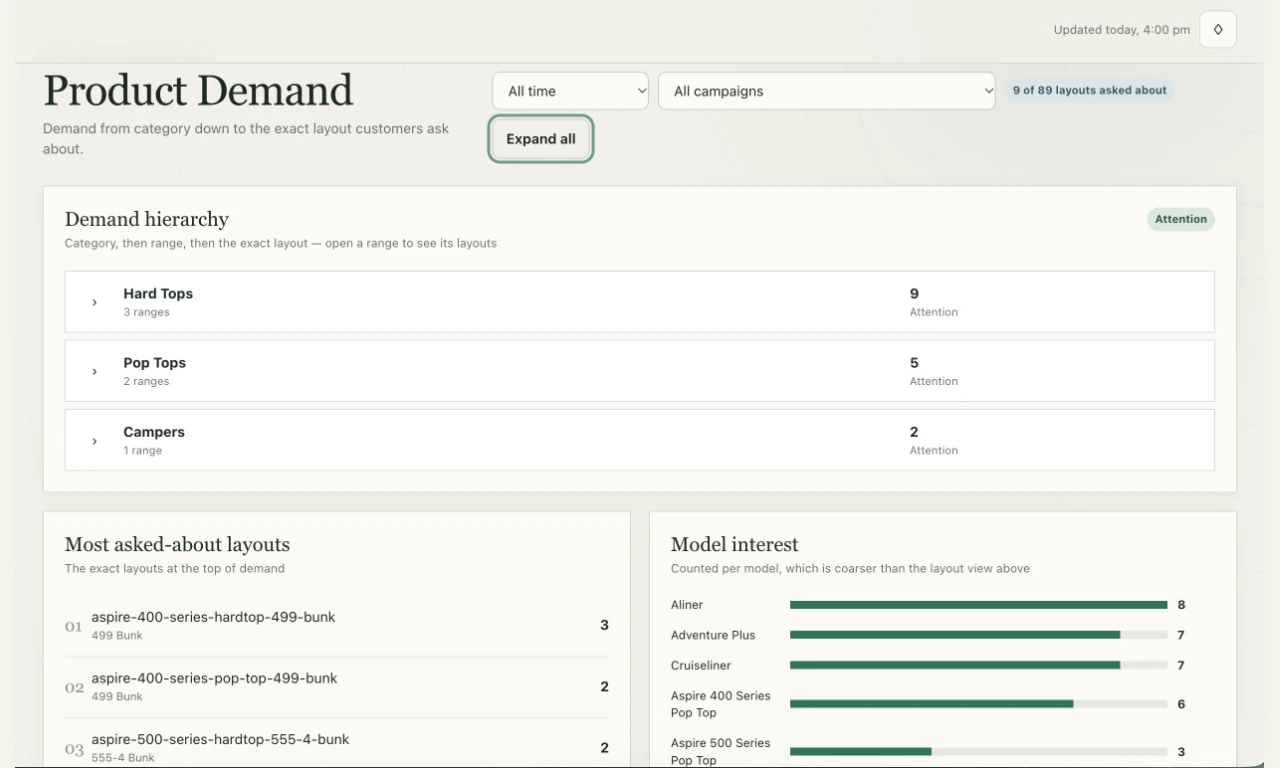
Product and layout attention.
Demand moves from category to range to the exact layout, with the models customers ask about most.
View full size- 1Which products and layouts attract the most attention.
- 2Which models customers ask about most.
Business outcomes
What changes for the business.
Four outcomes, each tied to what the assistant and dashboard already do.
Enquiries that arrive complete.
The customer supplies their contact details, location, product, intent and buying stage before anyone picks up the phone.
Answers the business has approved.
The assistant answers from approved information, and each answer keeps a record of the source it came from.
The right inbox the first time.
Sales, spare parts and support are routed separately, by state, with a national fallback and a copy to the notification list.
Visibility of what is missing.
The dashboard shows the questions customers ask, and the ones that could not be answered, so gaps in the published information are visible.
See the assistant and the dashboard against your own products.
A demonstration for your business, using demonstration data.
Pricing
Indicative pricing.
Monthly pricing in Australian dollars, plus GST. Setup is a one-off cost, shown per tier. Limits and inclusions are confirmed in the proposal.
- One successfully delivered assistant response counts as one reply. Failed responses do not use the allowance.
- An allowance is stated in replies because a long conversation costs several times a short one.
- Voice is available as a separate service.
Implementation
What happens, in order.
AlekAi is configured around your products, your answers and your enquiry routing.
You set the boundaries.
You tell us what the assistant may answer from, and who receives each enquiry type, by state.
We configure and test.
We configure, load and test against your own products and questions.
You approve the answers.
You review and approve the answers before anything goes live.
Launch.
The website assistant, QR labels and the dashboard go live.
Nothing is published without your approval.
Book a demo
Book a demo for your business.
Tell us what you sell and what you would most like to fix. We will show you the assistant and the dashboard using demonstration data.
- A demonstration of the assistant and the dashboard.
- The dashboard, the funnel and the enquiry routing.
- A clear view of what setup involves.
Thank you. Your request has been received.
We will use the details you supplied to arrange your demo.
If you would rather call, 0424 893 535.